If your restaurant is in a jurisdiction that has pay exceptions or labor rules that require payout under certain circumstances, here is how you manage them. They will need to be reviewed and approved as paid/unpaid depending on the circumstances. This includes things like:
- Reporting time pay
- Split Shift pay
- Predictability pay, Right to rest breaks, etc.
This should be done after your timecards are edited and up-to-date.
From the homepage:
- Navigate to Staff -> Pay Exceptions
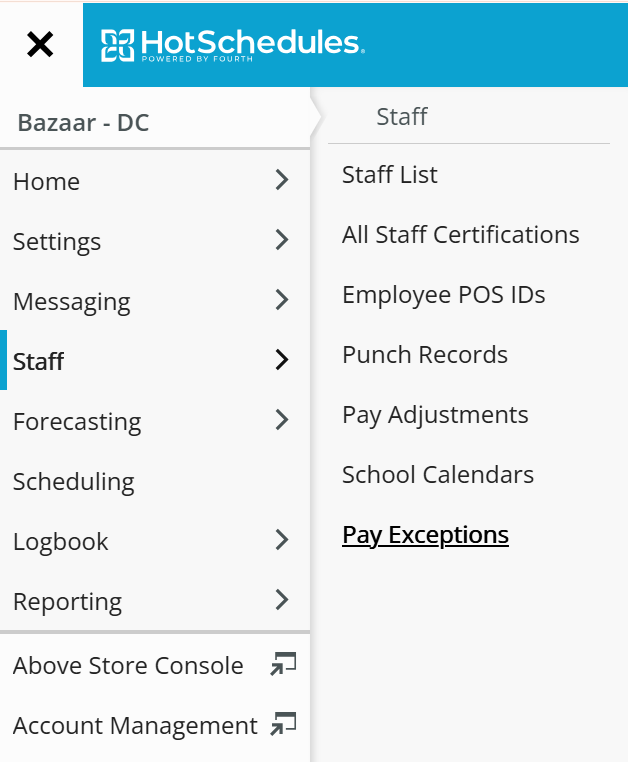
- Go to the pay period in question.
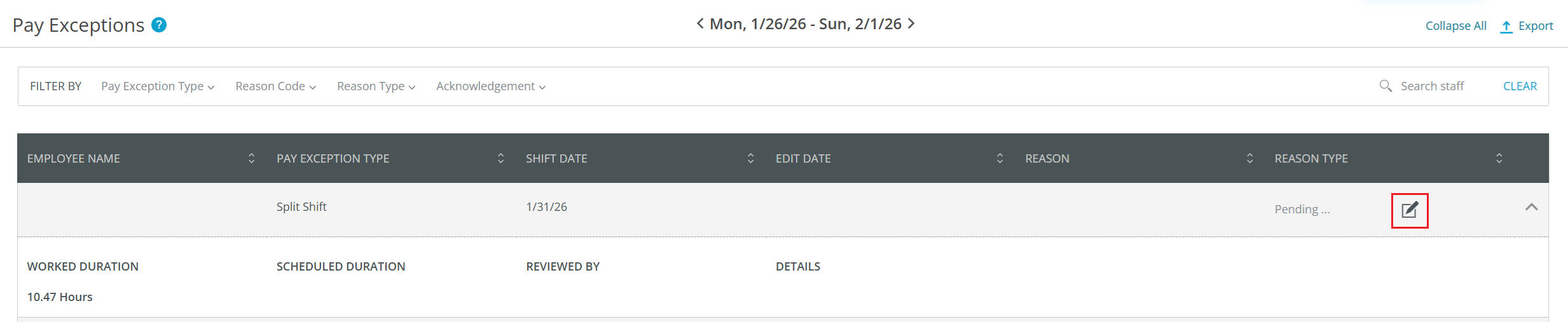
- You will see all of your pending pay exceptions here. Click on the Edit icon to review it and mark it as Paid or Unpaid.
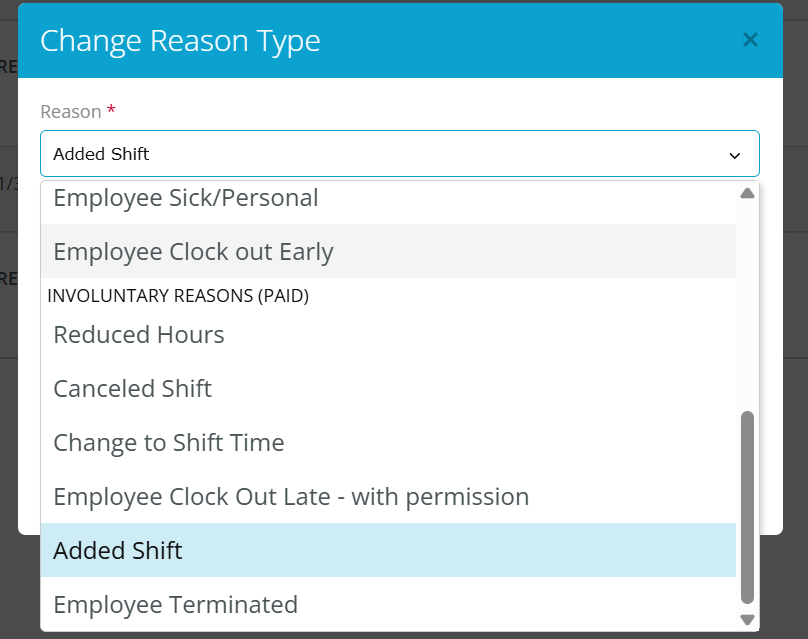
- Select the Reason Code. **Note that the reason dictates whether the pay exception is paid or unpaid.
- Once you review it, it will show in the Pay Exceptions area like this:

- Continue processing payroll as normal. When you submit the payfile to the Payroll Team, the pay exception will be coded and paid out if you selected it as a paid exception.
- Here is pay file shown for the example above. The line that says SSV is the Split Shift pay exception we marked as paid.

Other notes/considerations:
- Specific labor compliance rules vary from region to region. Please confer with your HR team to understand what you should be aware of to reduce potential pay exceptions.
- Failure to mark them as paid/unpaid will result in the exception not being paid. So please ensure these are done before locking the pay period and generating the pay file.
Was this article helpful?
That’s Great!
Thank you for your feedback
Sorry! We couldn't be helpful
Thank you for your feedback
Feedback sent
We appreciate your effort and will try to fix the article