WHO IS THIS ARTICLE FOR?
- For managers who work across a few restaurants in a hotel where Toast is being used.
- For managers who need to have their employees setup in a similar way.
- You work at The Shay (LA/CC) or The W (NSH).
Note that this is only allowed for situations where an hourly employee works at different JAG-owned restaurants within the same hotel/company.
Here is how you can setup your hourly employee to work at multiple restaurants within the hotel:
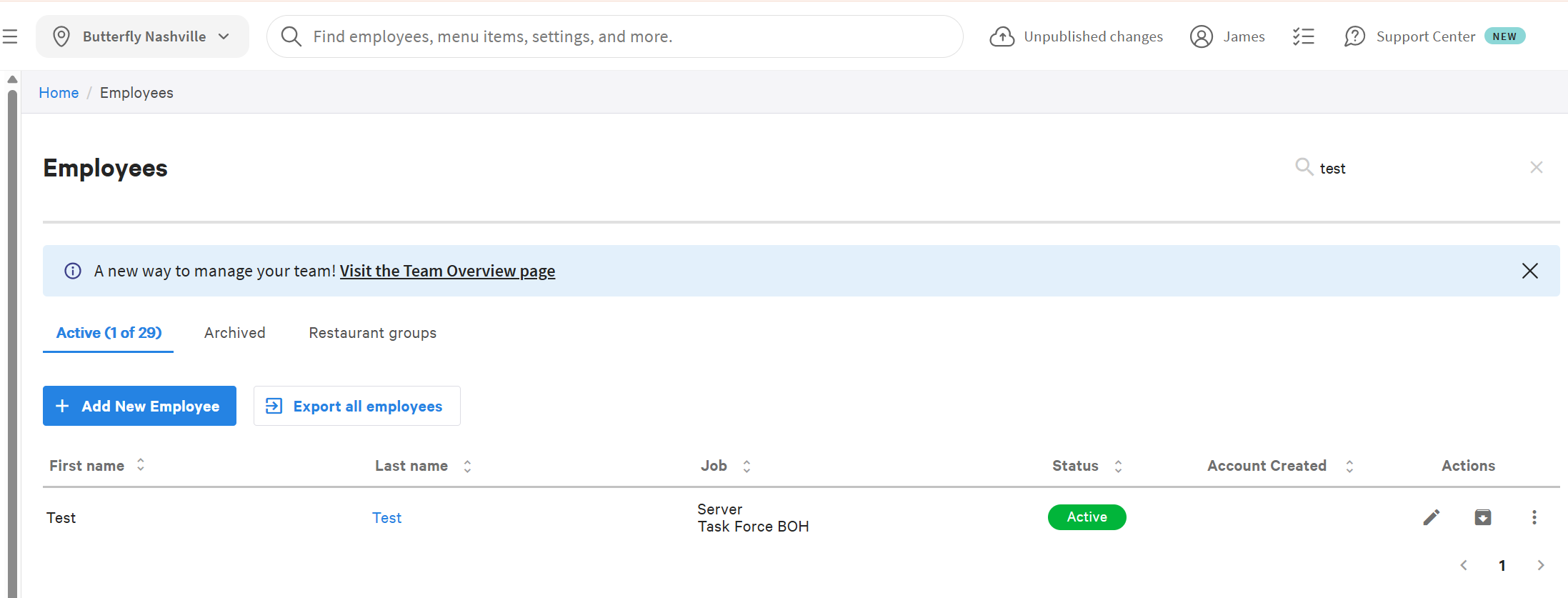
- In Toast Web, make sure you are under the "Home Location" and go to Employees -> Employees to find the person you would like to share. Click the last name or pencil to edit.
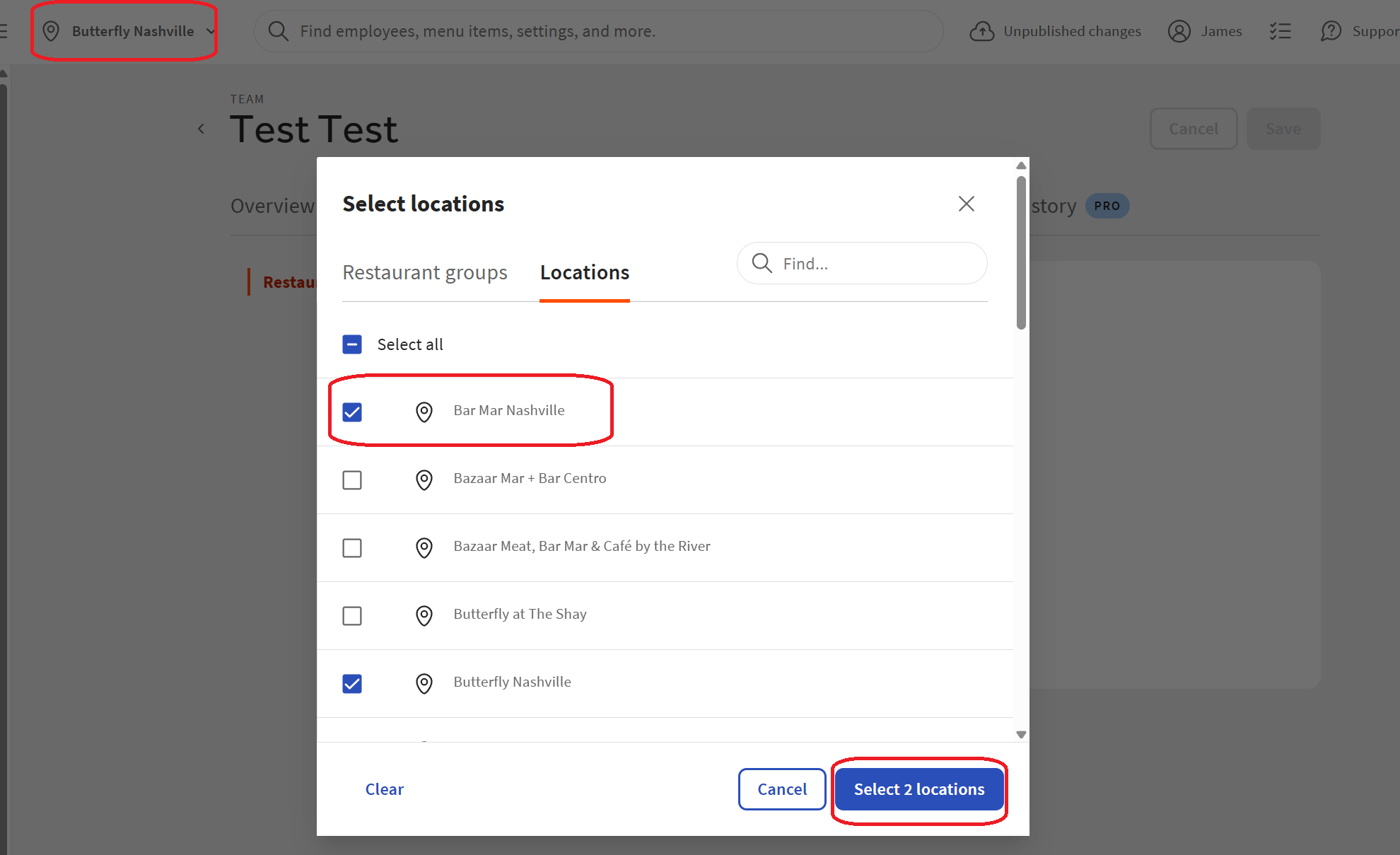
- In the employee record, click Restaurant Access then click the Dropdown to add the other restaurant in your hotel.
- Then click Select 2 Locations button to save your changes.
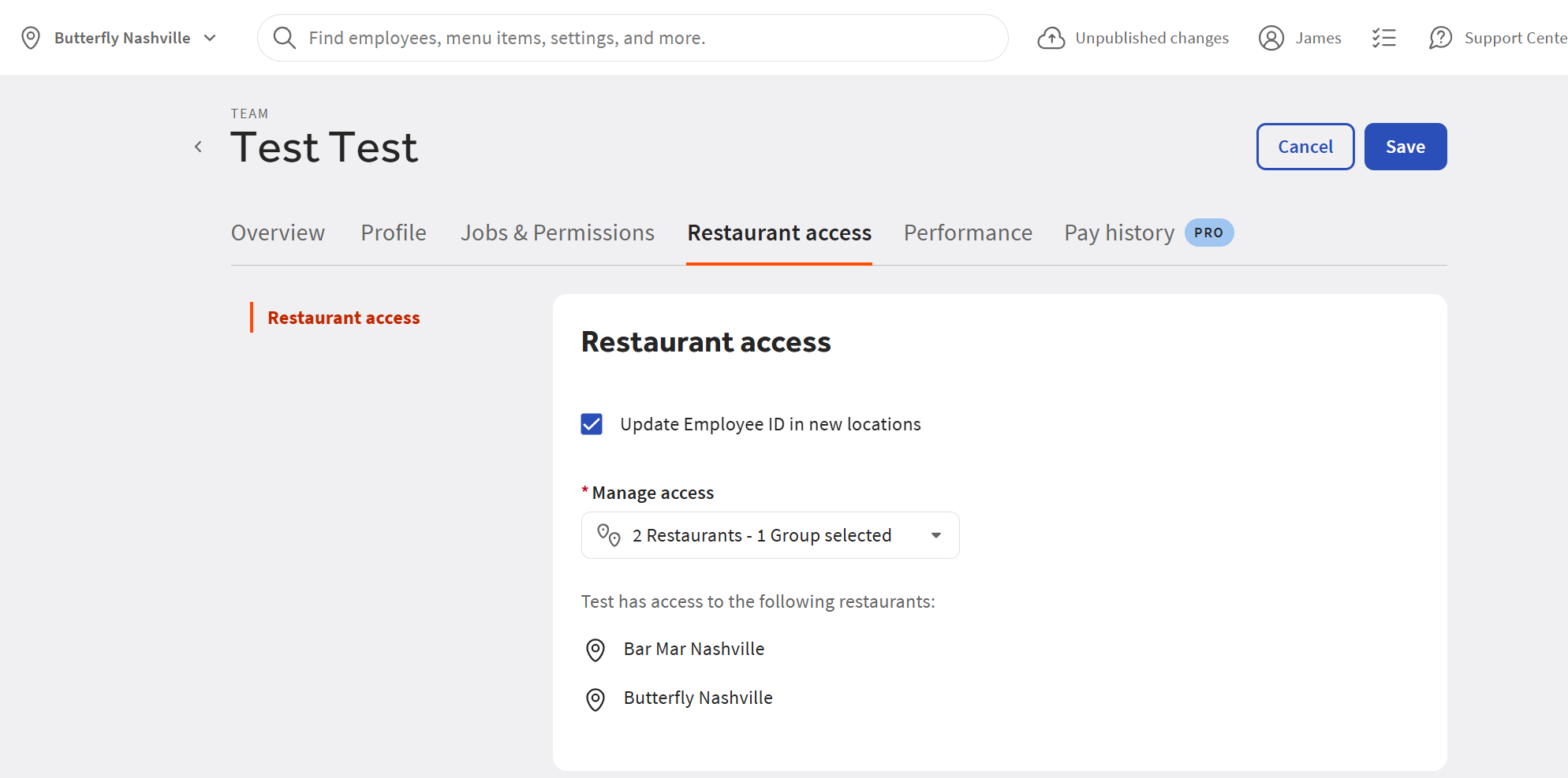
- Lastly, check the Update Employee ID in new locations - this copies their payroll ID over. Click Save
Here you can see the home location is Butterfly Nashville.
So we add them to Bar Mar Nashville so they are active in both restaurants.
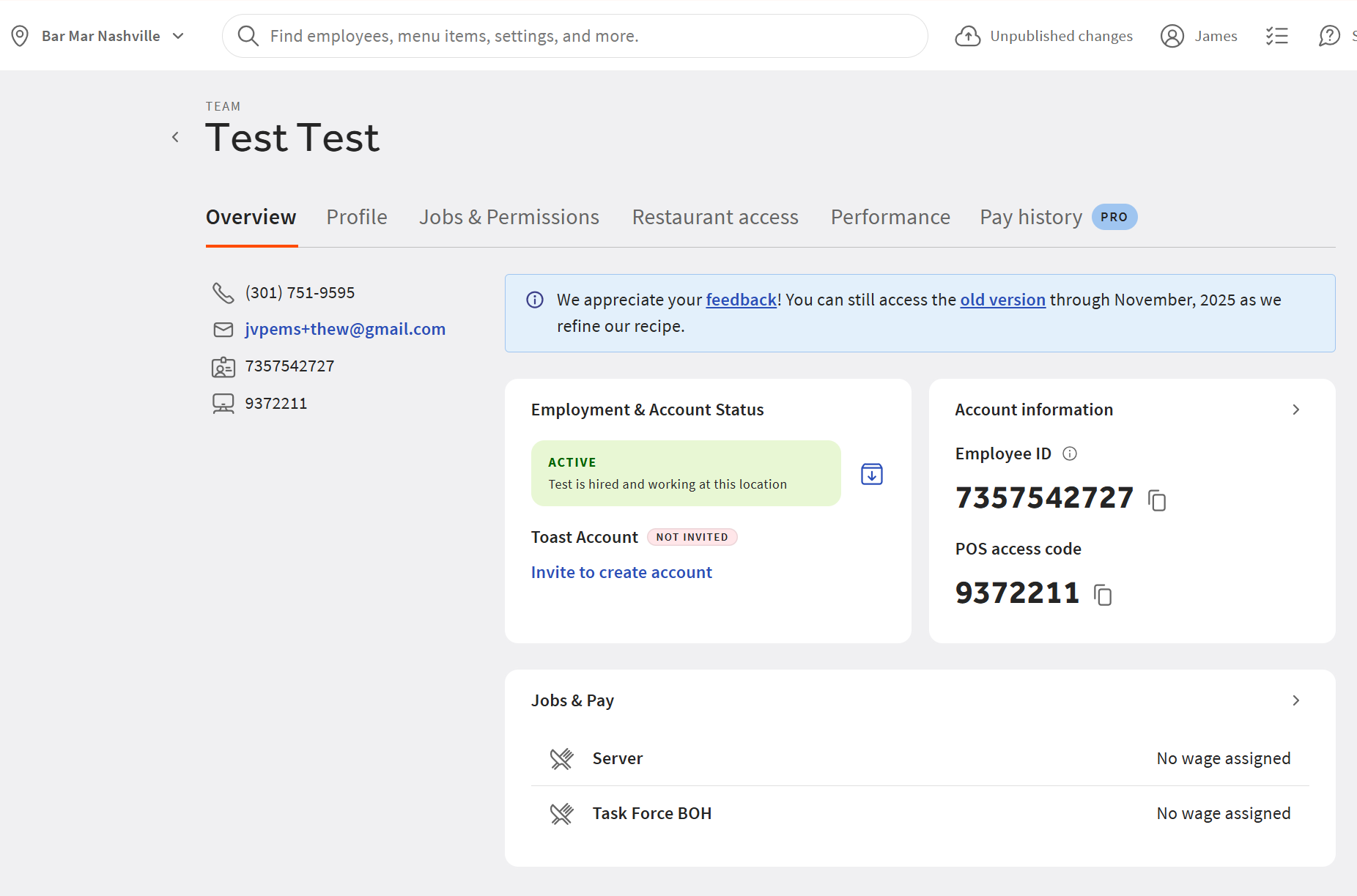
Now let's go into Bar Mar Nashville to confirm they are shared there.
- Below, you will see that they have all the same information except wages.
- You will have to add the wages back for each employee shared to the new restaurant.
**NOTE
Jobs are shared between restaurants.  So if someone is a server, they will be shared to the new location also with the server job.  If you add a new job to someone who is shared, it will be added to the other restaurant as well.
Was this article helpful?
That’s Great!
Thank you for your feedback
Sorry! We couldn't be helpful
Thank you for your feedback
Feedback sent
We appreciate your effort and will try to fix the article